QUALITYimpact — QA Manuals & Change Management
“Make your seafarers aware of your procedures and policies”
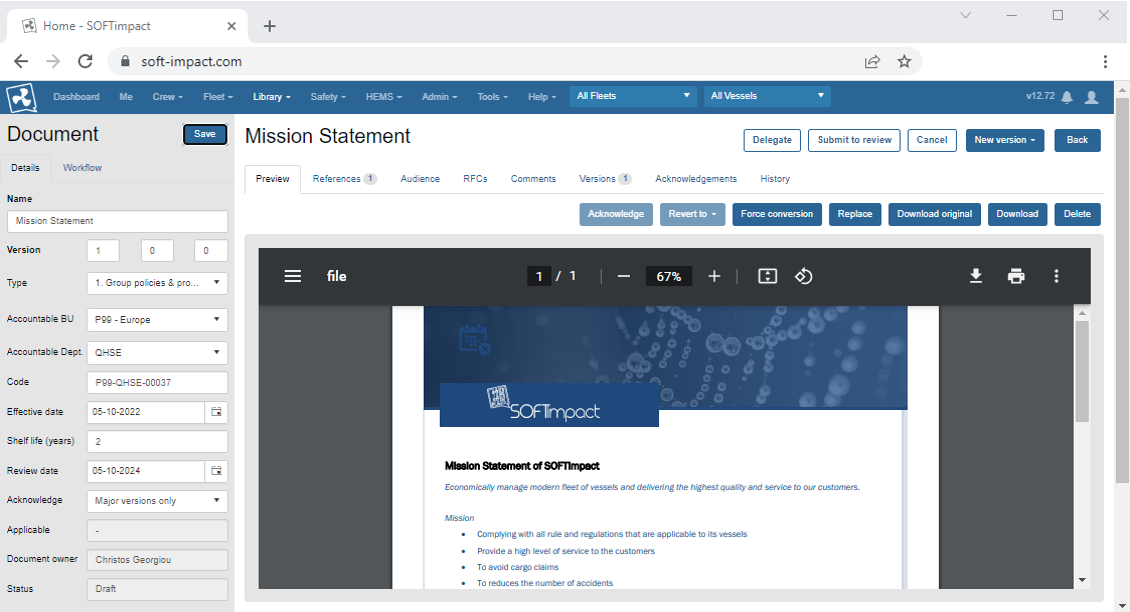
Control the production, storage, management and distribution of electronic documents. Yield effectiveness and the ability to reuse information. Control the flow of the documents — including request for change, briefings & acknowledgements.
Control changes
Define your own review and approval workflow, automatically track all versions and changes during the lifetime of a document, get reminded of reviews.
Involve crew
Publish documents to ships, assign documents of interest to your crew by rank, ask your crew to acknowledge major changes, invite your crew to request or suggest changes to existing procedures.
Use organizational know-how
Delegate the editing of changes to your staff, invite subject matter experts to comment on considered changes before publishing.
Gain insights
Understand how long it takes for a new version to propagate in your organization, optimize the processing of change requests, identify and eliminate bottlenecks.
“Maintain and distribute your safety manual to the fleet”
Documents
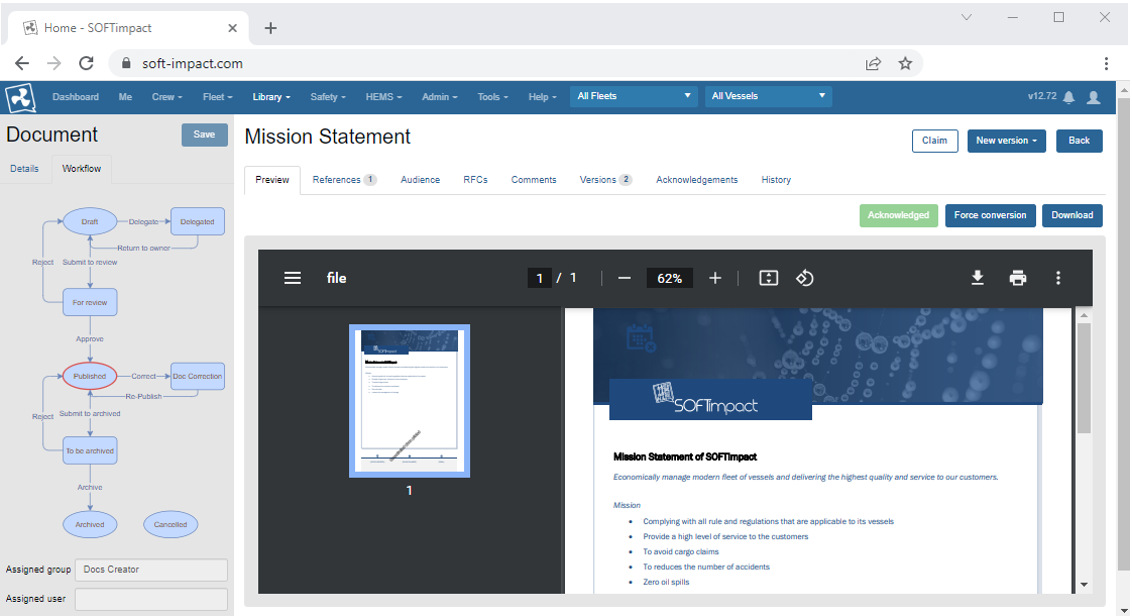
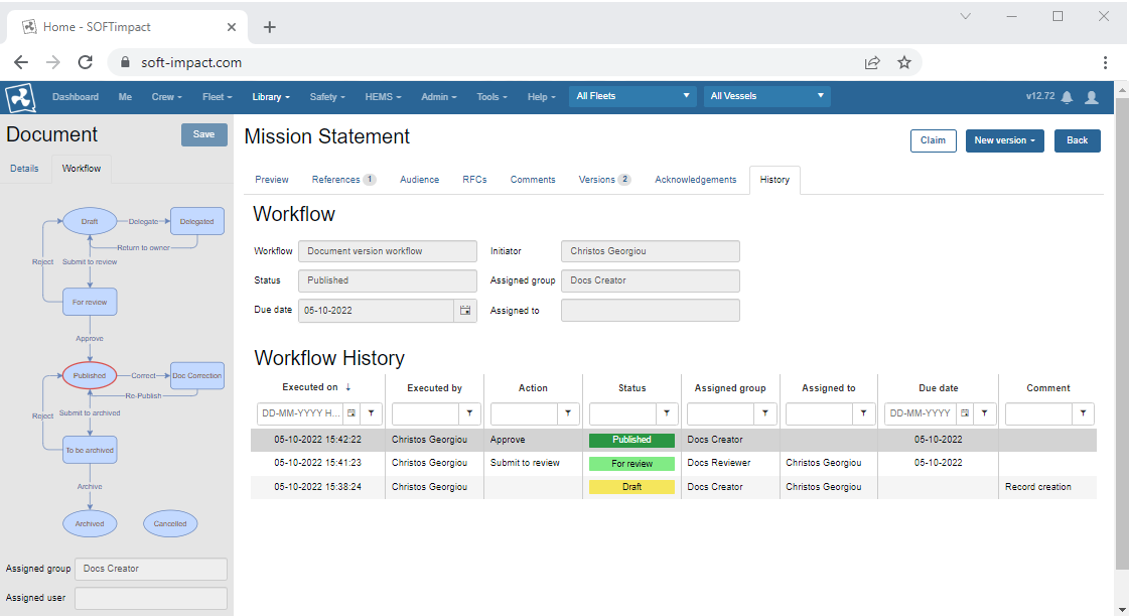
Workflow enabled documents — documents can go through a configurable life cycle from draft to published and eventually archived, according to the company requirements.
Version Control
Each document can have multiple versions such as archived ones, the currently valid and effective version as well as draft not yet published versions.
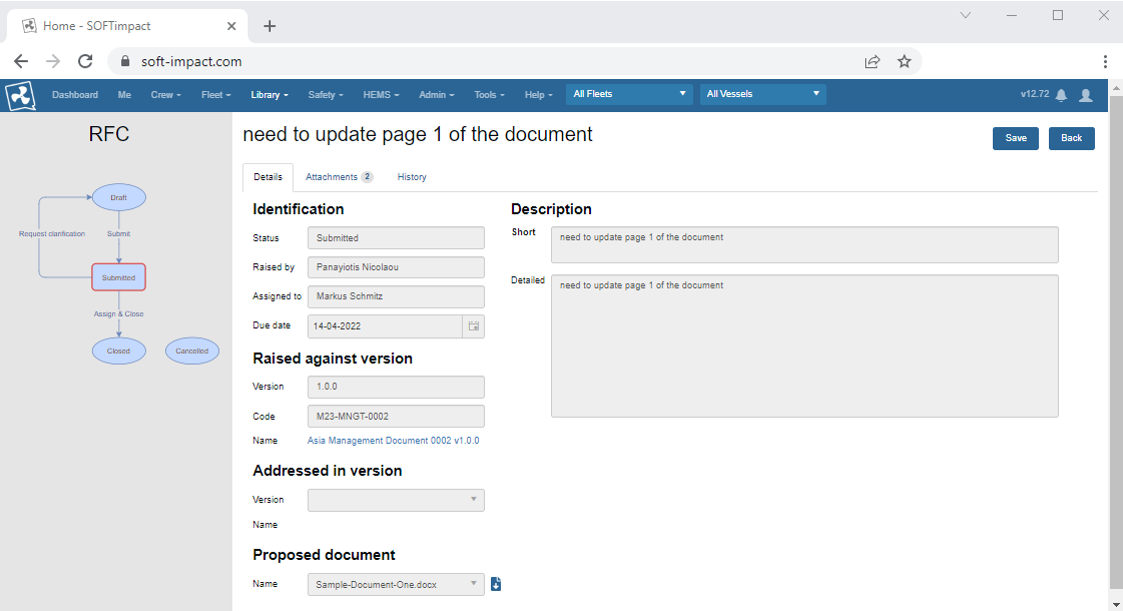
Requests for Change
Allow authorized users to raise requests for change, for improvement suggestions that can be accepted or rejected by the document owners.
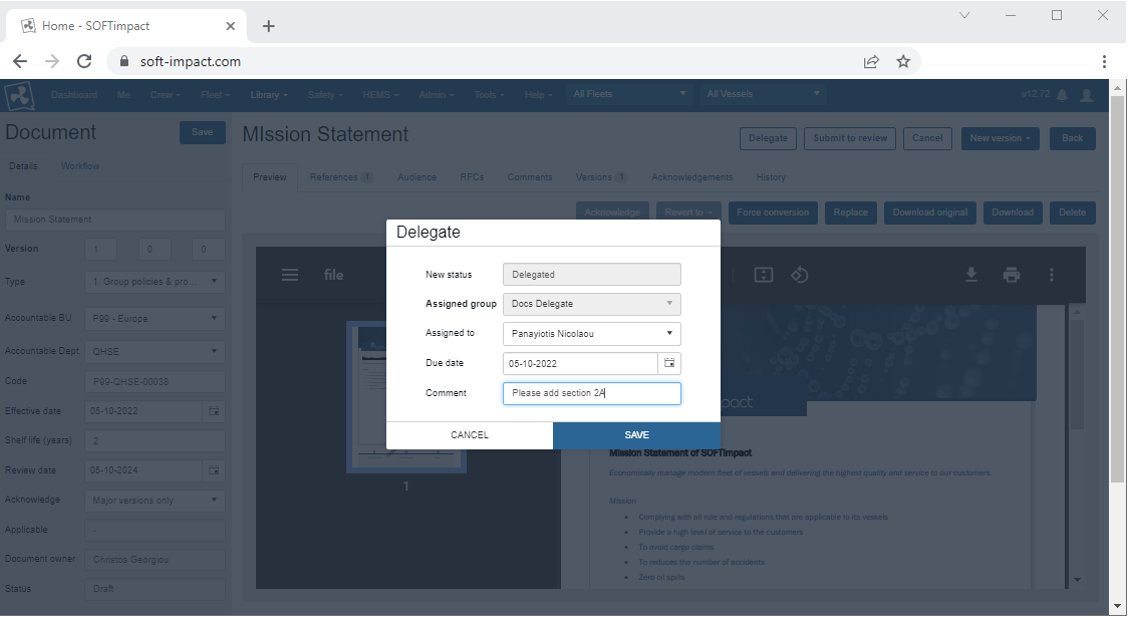
Delegation
Delegate a document to an assigned user and set a due date. Add comments to aid the assigned user with the delegated document.
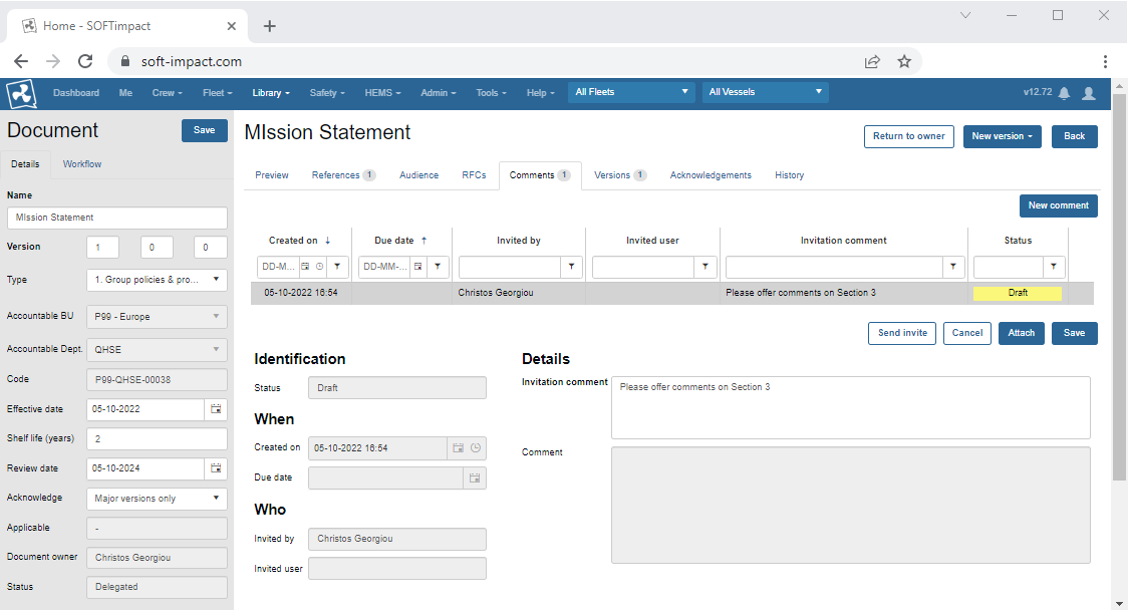
Invite Comments
The document owners can invite users and topic experts to provide feedback on unpublished document versions.
Acknowledgements
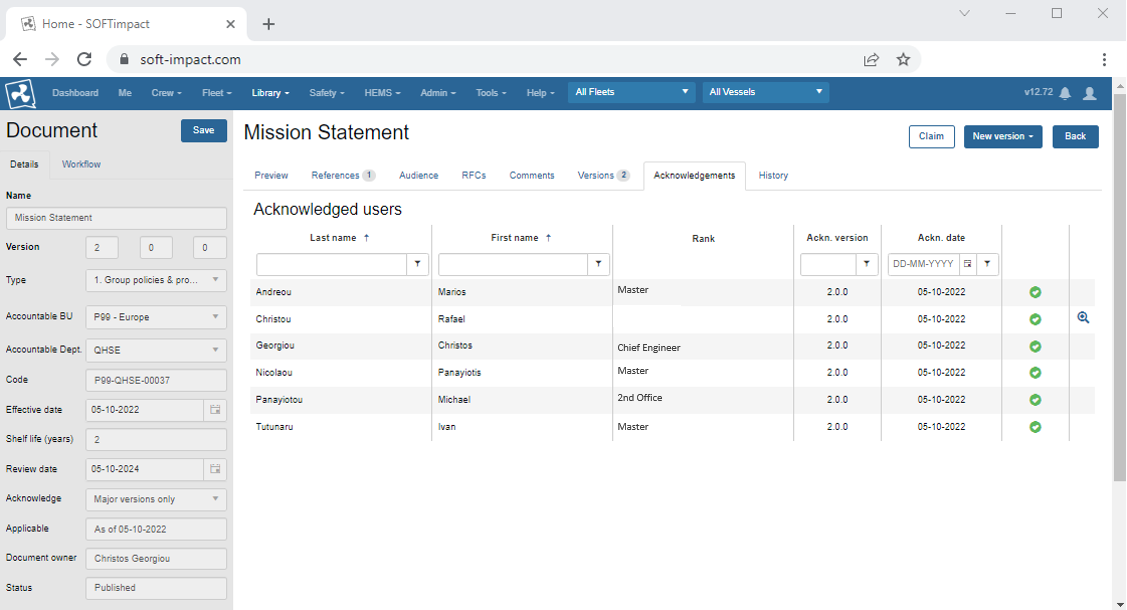
Keep track of the audience users that have acknowledged documents applicable to them.